Aimbot controls
FOV
The area around your crosshair the aimbot may pick a target from.
Smooth
How gradually the aim travels once a target is picked.
Speed
How quickly the aimbot closes on the chosen bone after a target is picked.
Stickiness
How strongly the aimbot keeps tracking the current target instead of swapping.
Aimbot Filter
Narrows which targets are eligible before bone and visibility checks run.
Bone Selection
Closest, head, neck, or chest. Changes where the crosshair settles, not who gets picked.
2 Aimbot Keybinds
Two activation keys, including native controller binds without remapping software.
Visible Check
Skips targets the menu treats as not hittable through cover.
Ignore Knocked
Leaves downed players out of the target pool.
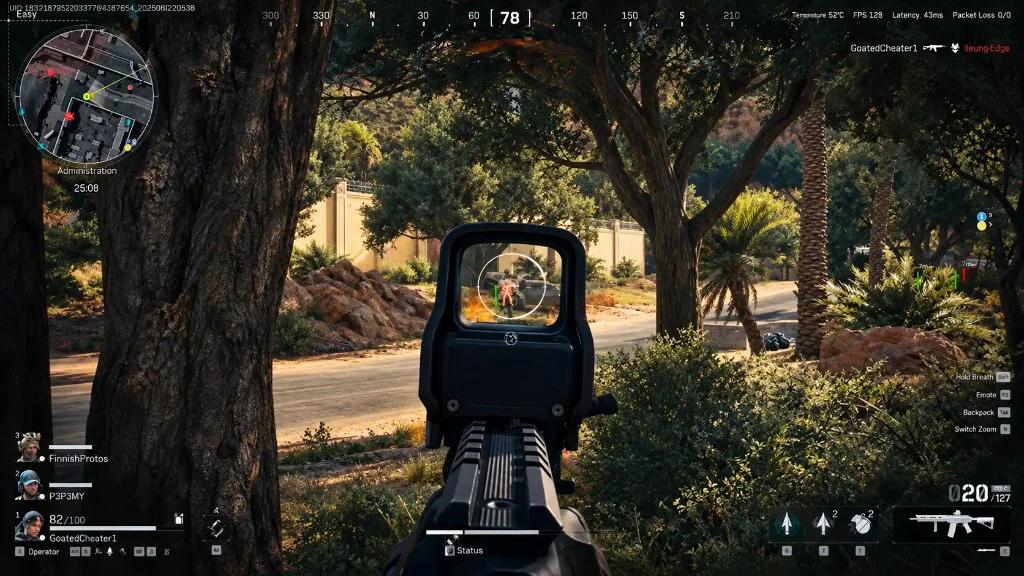
Draw FOV
Draws the FOV area as a circle on screen. It shows the setting; it does not change it.
Draw Target Line
Draws a line from your crosshair to the current aimbot target so you can see the pick.
Pick, then move
FOV, filter, visible check, and ignore knocked decide who is eligible. Smooth, speed, stickiness, and bone selection decide how the crosshair behaves once someone is picked.
If the wrong player is chosen, start with FOV and filter. If movement feels wrong, adjust smooth, speed, stickiness, and bone selection.
A sensible first setup
Run one raid with the aimbot off and light player ESP on so you know what the labels look like. Then enable the aimbot with a modest FOV and Draw FOV on. Raise smooth until you can follow the movement by eye.
Turn Draw Target Line on briefly if picks surprise you. Save a low-FOV profile in misc once it feels readable.
What the aimbot section does not include
There is no silent-aim switch and no triggerbot on the published list. Recoil handling is separate from this section. If a clip shows controls beyond these eleven, it is not this menu.
Works well with
Related guides
Related reading
Delta Force Aimbot questions
Can I use Delta Force ESP without the aimbot?
Yes. Turn the aimbot off and player ESP, loot ESP, chams, and misc still run.
Does the Delta Force aimbot support controllers?
Yes. The menu lists two aimbot keybinds with native controller keybinds and no remap layer.
What is the difference between FOV and Draw FOV?
FOV is how wide the aimbot looks. Draw FOV only shows that area as a circle.
Aimbot ships with the full menu
One license covers every module. Monthly is $35 for 31 days. Lifetime is $150.
Around the site
Status, checkout, and the guides that sit around this module.